About the exhibit · The New Smart Architektura Website
smartarchitektura.pl - an architecture studio's website laid out like a drawing sheet
A new website for the Gdańsk architecture studio Smart Architektura: four concepts to choose from, a portfolio laid out like a drawing sheet and Astro instead of WordPress. On a phone the home page weighs 11 times less, and every old address leads where it should.
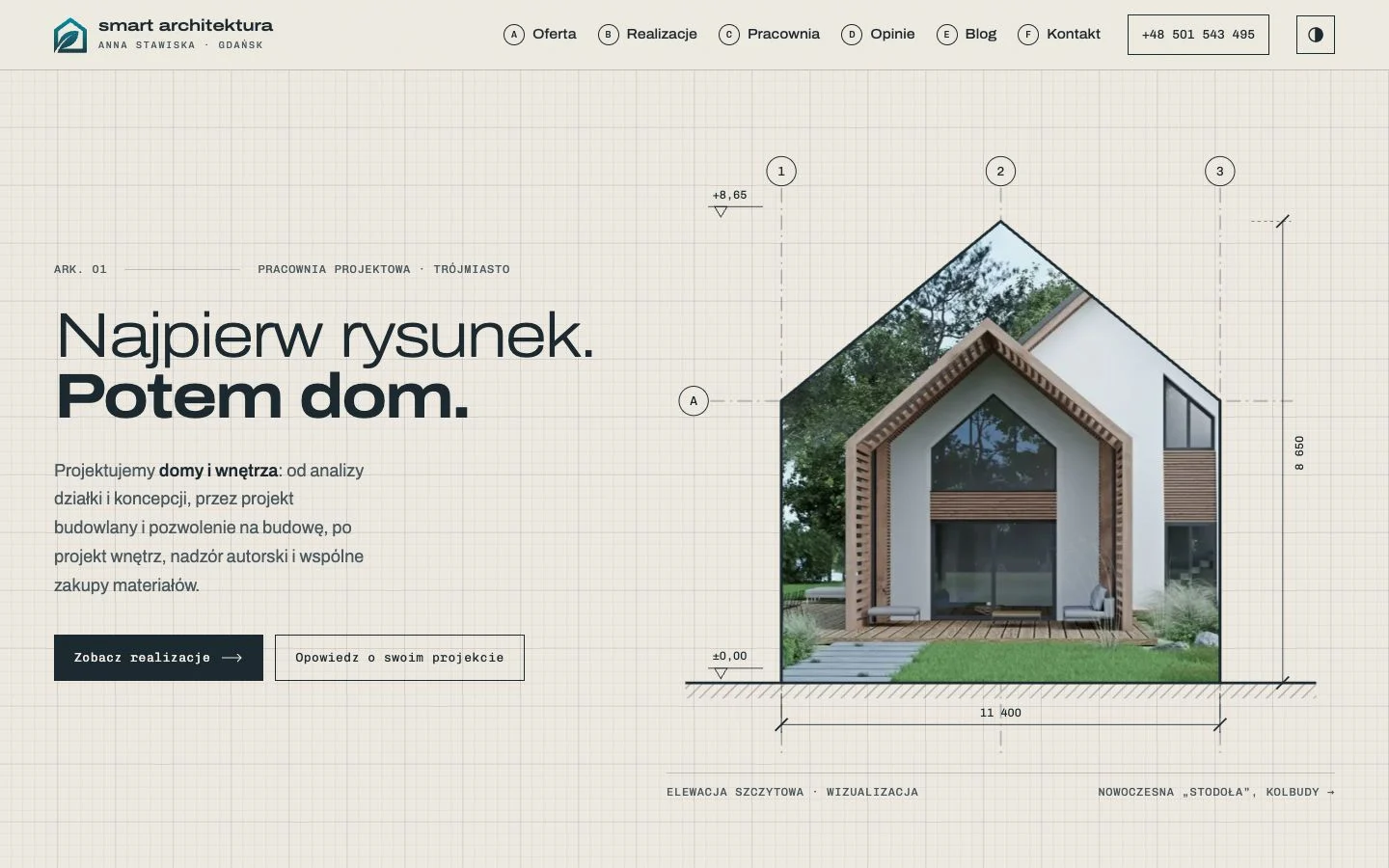
Smart Architektura is the Gdańsk studio of architect Anna Stawiska: bespoke house designs, interiors, conversions and extensions, from the Tricity to Kashubia. Its old website had good content - 37 projects, 19 articles, 14 client reviews - but showed it like hundreds of other templates. We designed and built a new one: smartarchitektura.pl.
In short: four concepts to choose from, a portfolio laid out like a drawing sheet, Astro instead of WordPress with Divi. On a phone the home page weighs 432 KiB instead of 4,985 KiB, and in Lighthouse performance went from 56 to 96 and accessibility from 74 to 100. Every changed address has a 301 redirect (1,328 cases in the test, 0 errors), and each of the 73 pages has its own sharing image.
The starting point
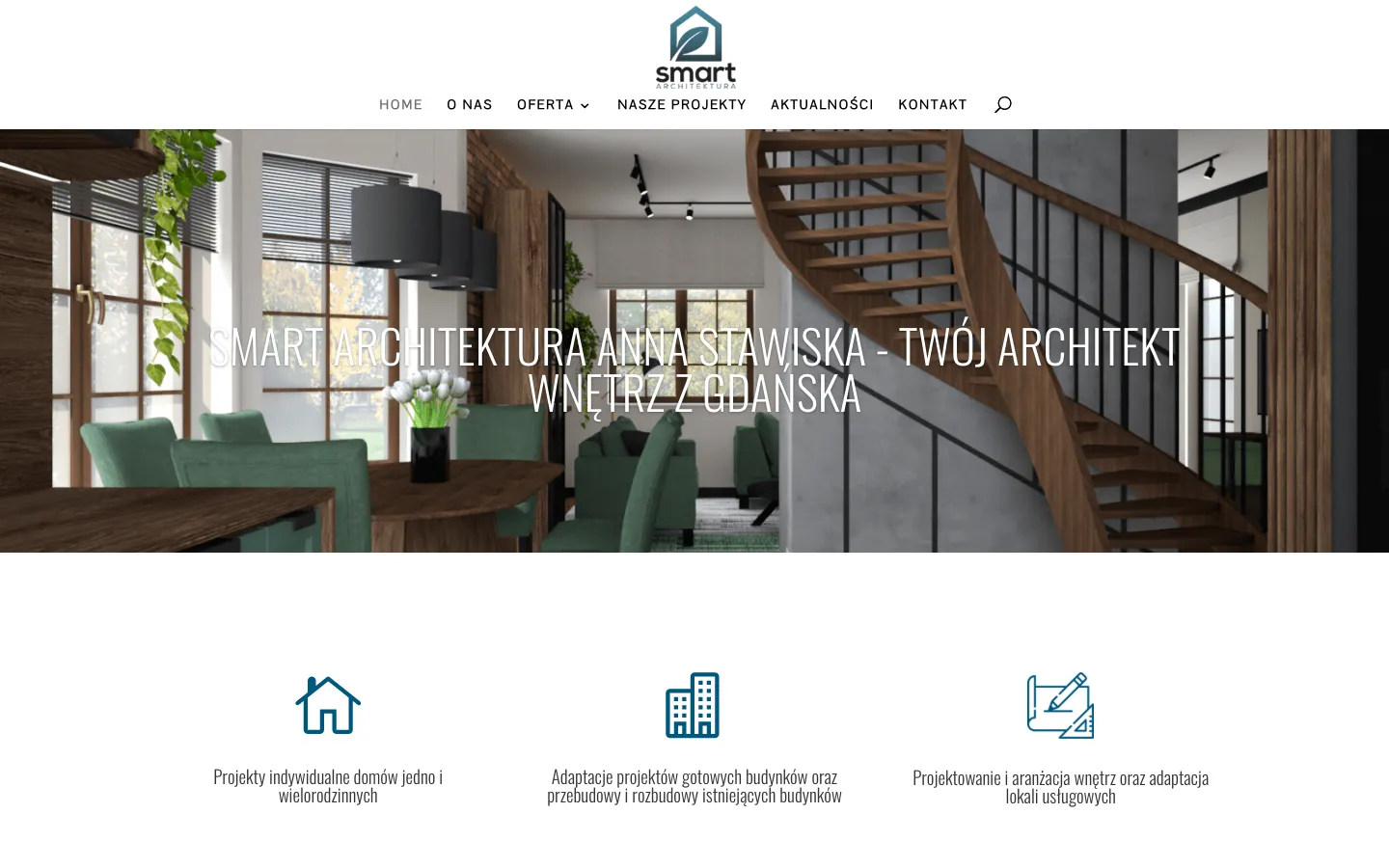
The site ran on WordPress with the Divi theme. The problem was not the content but the way it was shown:
- project photos were small - on a project page the main photo was 522 pixels wide on a 1,440 px screen,
- the home page weighed almost 5 MB on a phone (82 requests), and its largest element appeared after 12.5 s,
- the template looked like hundreds of others - down to a mobile menu labelled “Zaznacz stronę” (Select page).
The technical basics of SEO were fine. So the job was not to “fix SEO” but not to lose it in the rebuild.
Four concepts instead of one mock-up
Instead of one design to approve, we prepared four different directions. Each was built only from the studio's own material - its projects, visualisations, floor plans and reviews - with no stock photos and no made-up figures. Every concept could be opened and scrolled like a finished site, on a phone too:
- Kreska (Line) - the site as a drawing sheet,
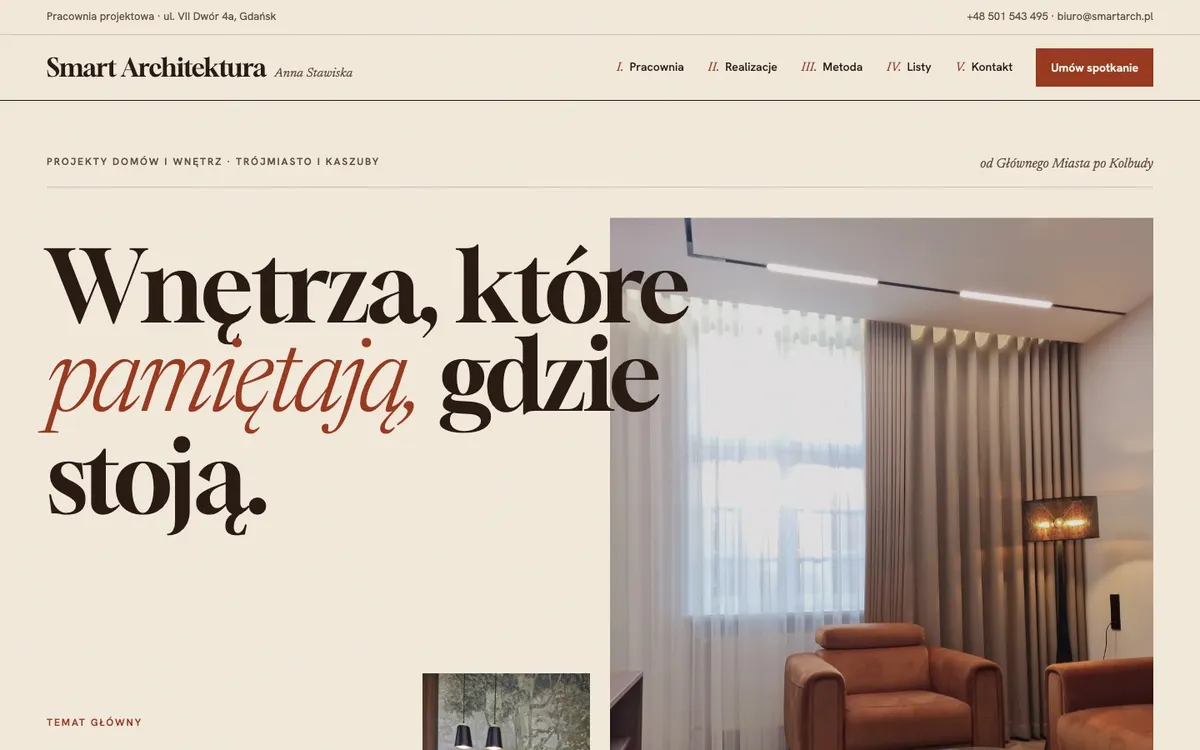
- Kamienica (Townhouse) - a magazine about Gdańsk interiors,
- Materioteka (Materials library) - a sample book of materials from the projects,
- Dwie opcje (Two options) - the way of working, in a premium version.
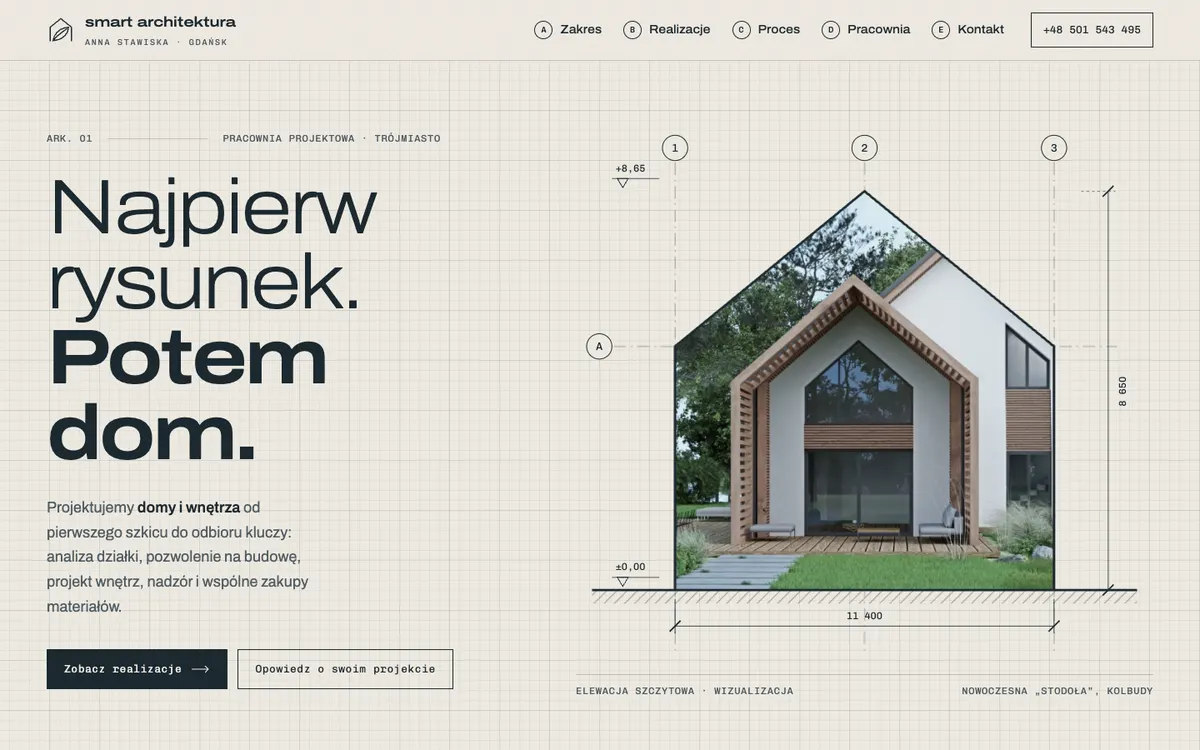
The client chose “Kreska”: the drafting grid, the structural grid lines, a title block in the footer and numbered material pins on the photos. From “Kamienica” she took the large galleries that scroll sideways and the map of projects, and she swapped the red of the first version for the grey-blue of her logo. All in one message - because she was judging a real site with her own photos, not a mood board.
A portfolio laid out like a drawing sheet
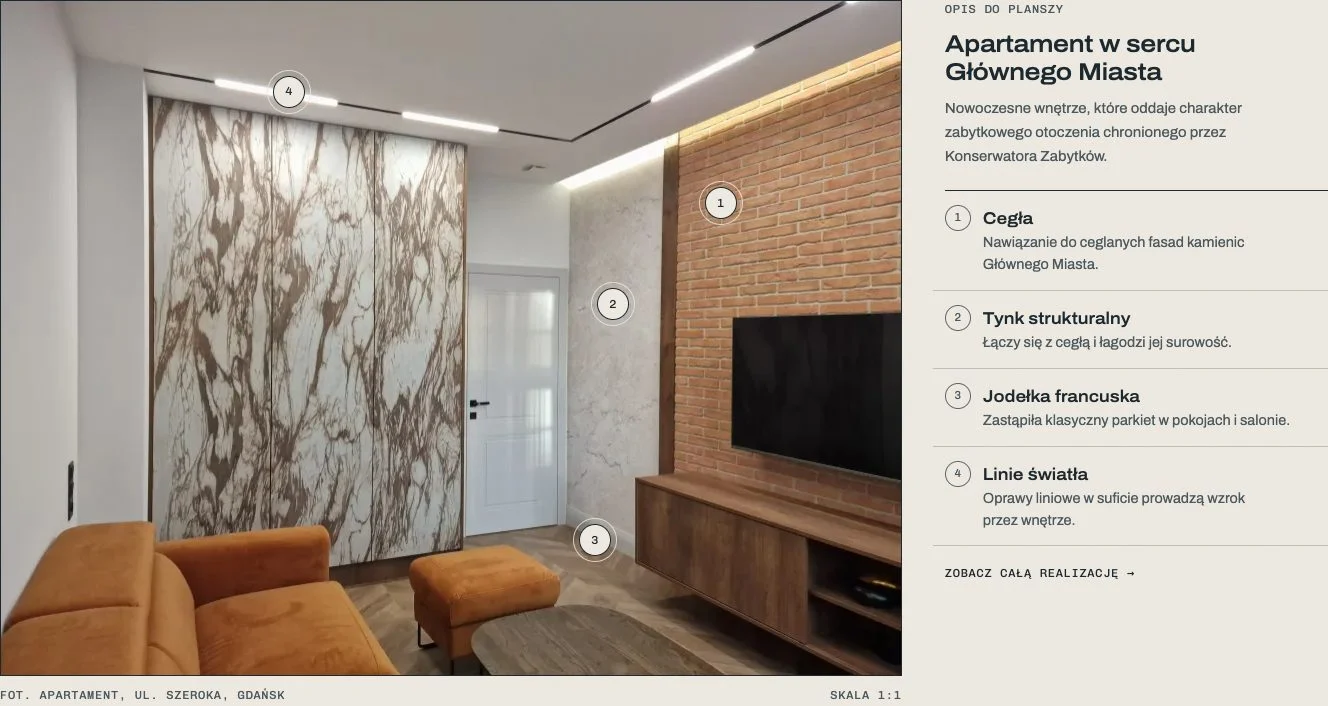
Every project has a data panel (location, scope, category), a large gallery that scrolls sideways with enlargeable photos, and a description. On selected projects the photo carries numbered pins - point at a number and you see which material was used in that spot. On a phone the pin's description appears right under the photo.
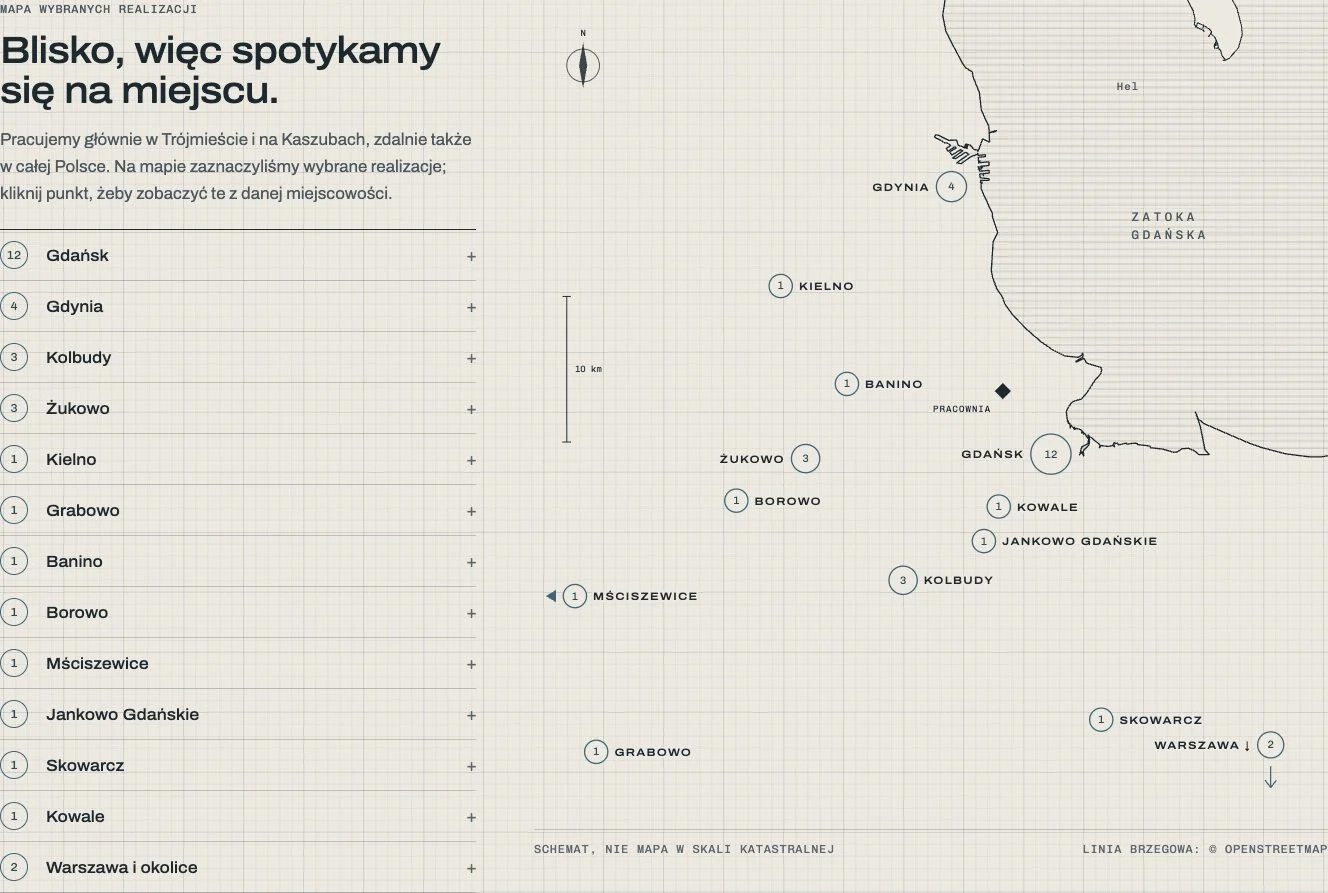
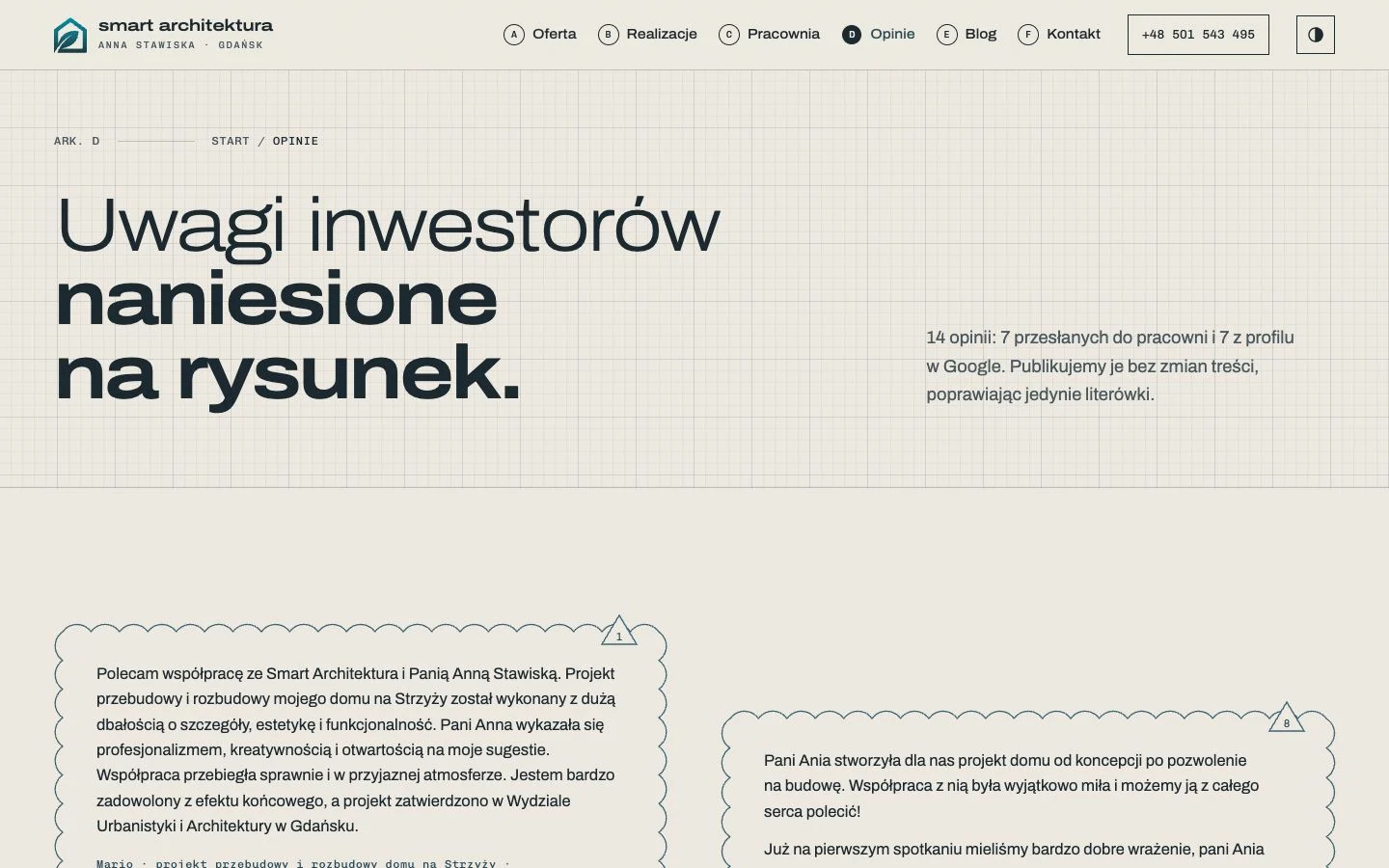
The list of projects has a map with the coastline of the Bay of Gdańsk, showing where the projects were built - from Gdańsk and Gdynia to Kashubia. Clicking a town opens its list of projects. Client reviews appear as revision clouds from a technical drawing, and the navigation in circles A-F recalls structural grid lines.
Astro instead of WordPress with Divi
The new site is built with Astro: it generates static HTML, with no database and no plugins. In practice that means:
- photos in WebP in several sizes - a phone downloads a smaller version than a 4K monitor,
- self-hosted fonts and a minimum of JavaScript,
- content in Markdown files - a new project is a folder of photos and a description,
- Google Analytics and the Meta Pixel load only after the visitor consents,
- a contact form protected from spam without a captcha,
- 0 WCAG 2.1 AA errors in an axe test of every type of page,
- Polish typography set automatically - one-letter words such as “w”, “z” and “i” never end a line.
We moved all the content: 37 projects, 19 posts, 14 reviews (7 from the site and 7 from Google reviews) and the service pages. We checked completeness automatically, sentence by sentence, comparing the new site with the old one. We worked the same way on the refresh of consaldi.pl.
Old addresses still work
Rebuilding a site is the easiest way to lose your rankings in Google: old addresses disappear, and links from other sites and clients' bookmarks lead to a 404 error. So every old address that changed got a 301 redirect to its new counterpart - not only the pages, but also WordPress short links, tags, the old sitemap and images from the media library.
| Old address | New address (301) |
|---|---|
| /project/luksusowy-apartament-na-ul-szerokiej-w-samym-sercu-gdanska/ | /realizacje/apartament-szeroka-gdansk/ |
| /?p=3096 | /realizacje/apartament-szeroka-gdansk/ |
| /o-nas/ | /pracownia/ |
| /sitemap_index.xml | /sitemap-index.xml |
The map covers 134 old page addresses: 109 got a redirect and 25 did not change at all. With the short links and images, an automated test checks 1,328 cases - all of them pass, in production too.
Sharing images and a site that AI can read
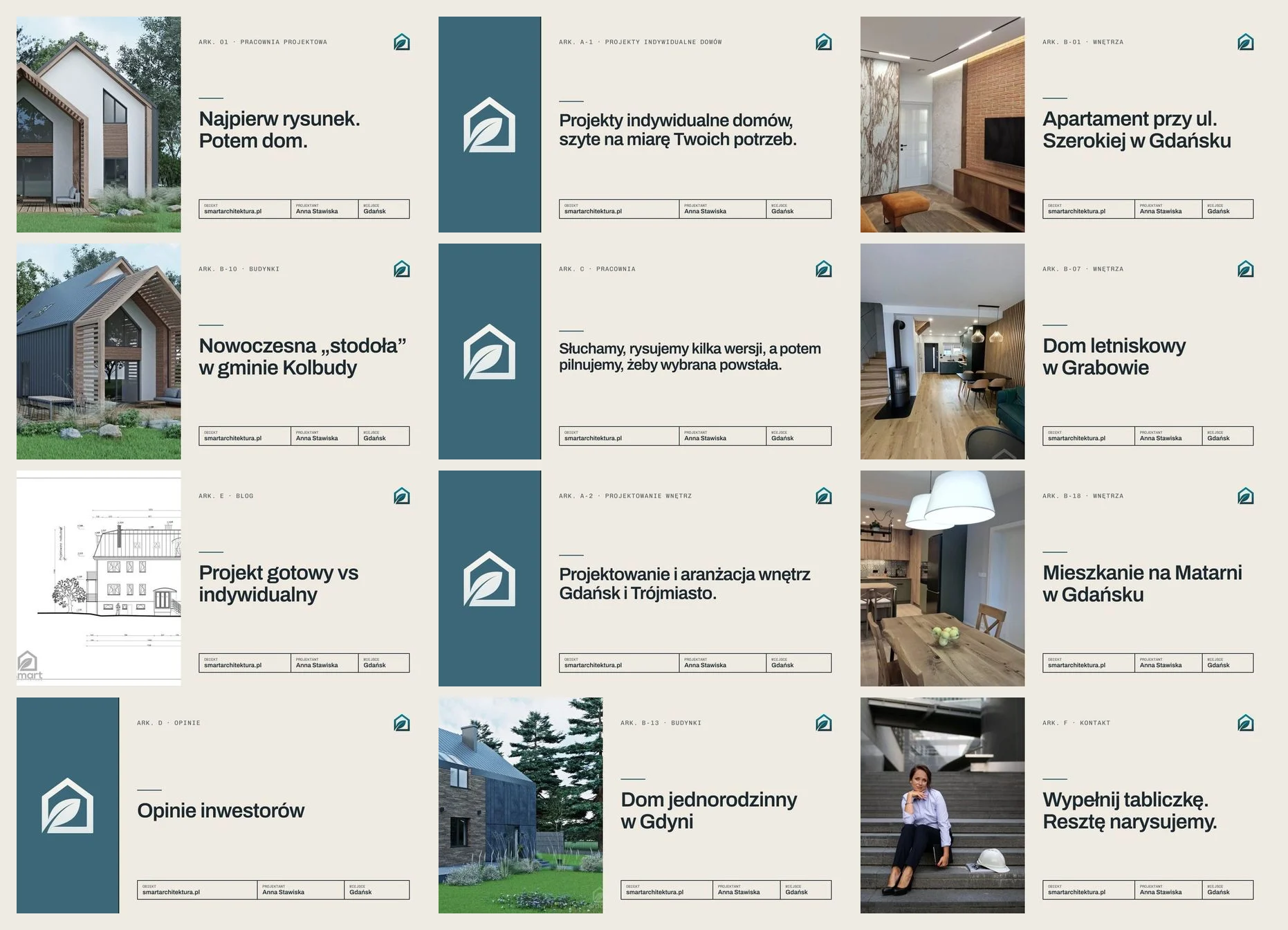
Each of the 73 pages has its own sharing image, generated when the site is built: the title, a sheet number as on a drawing, and a photo of the project. A link to a project pasted on Facebook or LinkedIn shows the project straight away, not a generic logo.
More and more people ask ChatGPT or Perplexity about an architect rather than Google. So the site has llms.txt (a list of 69 pages with descriptions), llms-full.txt (all the content in one file, 15,881 words) and structured data for the studio, its services and its 37 projects. In Lighthouse's new Agentic Browsing category the old site scored 0/2 and the new one scores 3/3.
Results - Lighthouse before and after
The home page on a phone, Lighthouse 13.5, the median of three runs. We measured the old site in production before the rebuild and the new one in production after launch.
| Metric | Before | After |
|---|---|---|
| Performance | 56 | 96 |
| Accessibility | 74 | 100 |
| Largest Contentful Paint | 12.5 s | 2.8 s |
| Cumulative Layout Shift | 0.22 | 0 |
| Page weight | 4,985 KiB | 432 KiB |
| Requests | 82 | 17 |
| Agentic Browsing | 0/2 | 3/3 |


To be fair about one result: on a project page the largest element appears on a phone after 2.5 s, against 2.0 s on the old site. Instead of a small thumbnail we now show a large photo and a large title - which is what the client asked for. Even so, the page weighs 606 KiB instead of 2,172 KiB and makes 19 requests instead of 94.
A site that looks like the studio's work
A client who has looked at large photos with the materials described, a map of projects in their area and reviews from other clients comes to the first meeting with concrete questions. And a fast site that keeps its rankings in Google and can be read by AI is what brings them there in the first place.
Have a site with good content that shows it like a template? Write to us.
FAQ
Can moving from WordPress to Astro cost you your Google rankings?
Not if every old address gets a 301 redirect to its new counterpart and the new site keeps the content, titles and descriptions. In this project we mapped 134 old page addresses (109 redirects, 25 unchanged) as well as WordPress short links and images from the media library - an automated test checks 1,328 cases.
Why prepare several concepts for a website?
Because the client judges a real site with their own photos and copy, not a mood board. With several directions it is easier to say what you like and to combine parts of different proposals. Here the client chose “Kreska”, added the galleries and the map from “Kamienica” and changed the accent colour - in one message.
What is llms.txt, and does an architecture studio's website need one?
llms.txt is a file in the root of a site that describes it simply for language models: who the company is, where it works and what pages it has. llms-full.txt holds all the content in one file. When clients ask AI assistants about an architect, it is a cheap way to make the answers rest on up-to-date information from the site.
Is it easy to add a new project to a site built with Astro?
Yes. Each project is a folder of photos and a file with its description. When a folder is added, the site rebuilds itself: a project page with a gallery, a sharing image, an entry in the sitemap and in llms.txt, and the photos are resized and saved as WebP automatically.